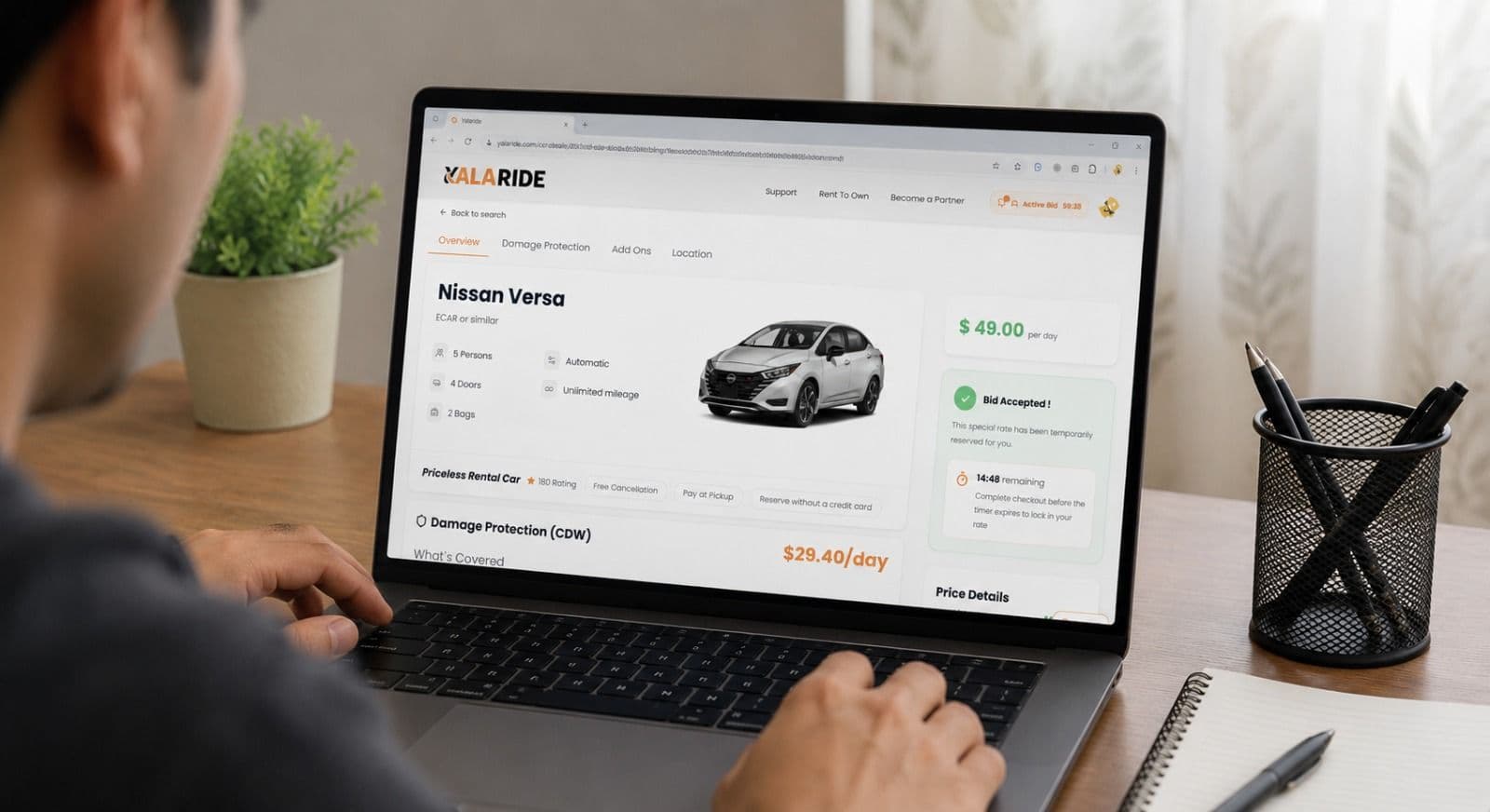
Renting a car no longer means accepting the first price you see. Modern car rental platforms are introducing innovative pricing models that allow travelers to negotiate better deals. One of the most exciting features available today is the ability to bid on rental cars, giving customers greater control over their travel budget.
If you've never used a rental car bidding system before, this guide will explain everything you need to know, from how bidding works to practical strategies that increase your chances of getting your preferred vehicle at a lower price.
What Does It Mean to Bid on a Rental Car?
Bidding on a rental car allows customers to propose the price they're willing to pay instead of simply accepting the listed rental rate.
Rather than paying the advertised price immediately, you submit your offer. The rental operator then reviews your bid and may:
- Accept your offer instantly
- Reject the offer
- Encourage you to submit a higher bid
- Present a minimum acceptable bid
This creates a win-win situation where customers can save money while rental operators maximize vehicle utilization.
Why More Travelers Are Choosing Rental Car Bidding
Traditional booking platforms offer fixed prices, leaving little room for flexibility.
Car rental bidding provides several advantages:
- Better rental prices
- Greater control over your travel budget
- Access to premium vehicles at competitive rates
- More transparent pricing
- Faster booking decisions
- Opportunity to compare multiple offers
For budget-conscious travelers, bidding can significantly reduce transportation costs.
How Rental Car Bidding Works
Finding the perfect rental car at the right price doesn't have to be difficult. With Yala Ride's "Bid My Price" feature, you can negotiate the rental price instead of simply accepting the listed rate. This gives travelers more flexibility and the opportunity to save money while booking from verified rental operators.
In this guide, we'll walk you through exactly how to bid on a rental car using Yala Ride.
Step 1: Visit Yala Ride
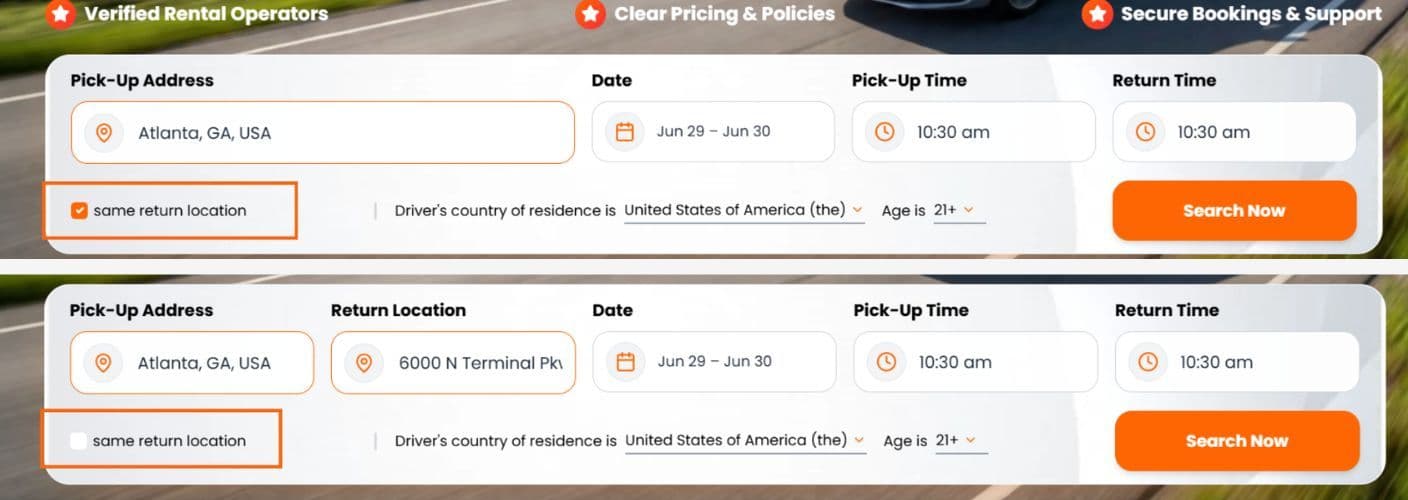
Start by visiting YalaRide.com and enter your rental details, including:
- Pickup location
- Return location
- Pickup and return dates
- Pickup and return times
- Driver's country of residence
- Driver's age
Once you've entered your information, click Search Now to view available rental cars. Yala Ride searches listings from verified rental operators, making it easy to compare multiple options in one place.
Step 2: Compare Available Cars
Once your search results appear, browse through the available rental vehicles and compare important details such as the vehicle category, rental price, included mileage, fuel policy, transmission type, and rental terms.
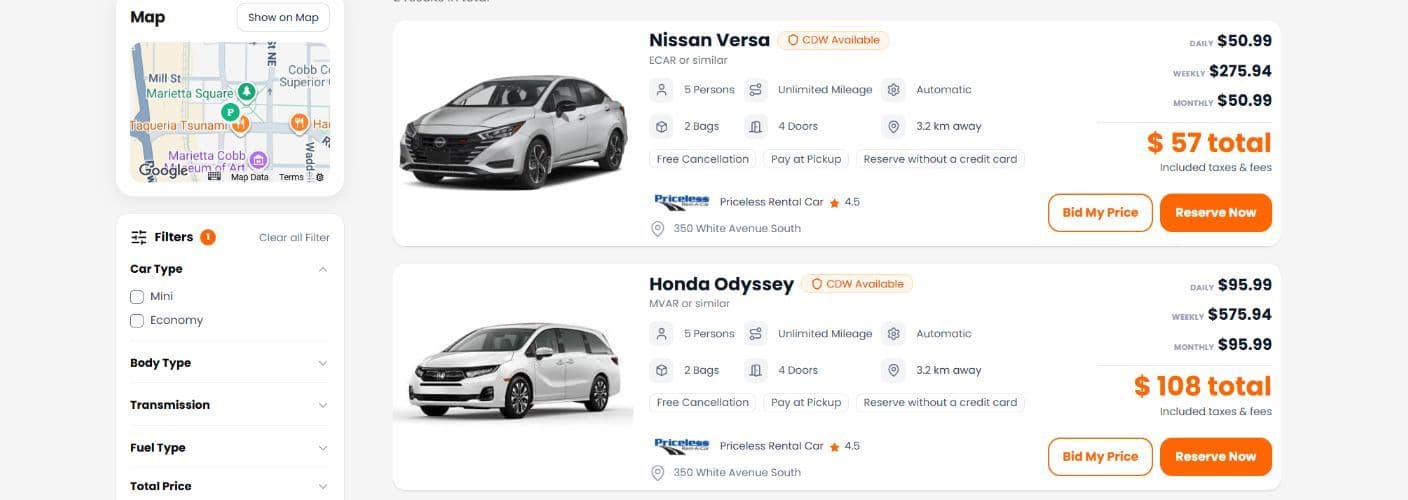
To make your search even easier, use the filters on the left side of the Yala Ride search results page to narrow down your options. You can filter vehicles by:
- Car Type (Mini, Economy, and more)
- Body Type
- Transmission
- Fuel Type
- Total Price (set your preferred minimum and maximum budget)
- Rental Car Company
These filters help you quickly find a vehicle that matches your budget, driving preferences, and travel requirements without scrolling through every available listing.
Step 3: Click "Bid My Price"
When you find a car you'd like to rent, select the Bid My Price option.
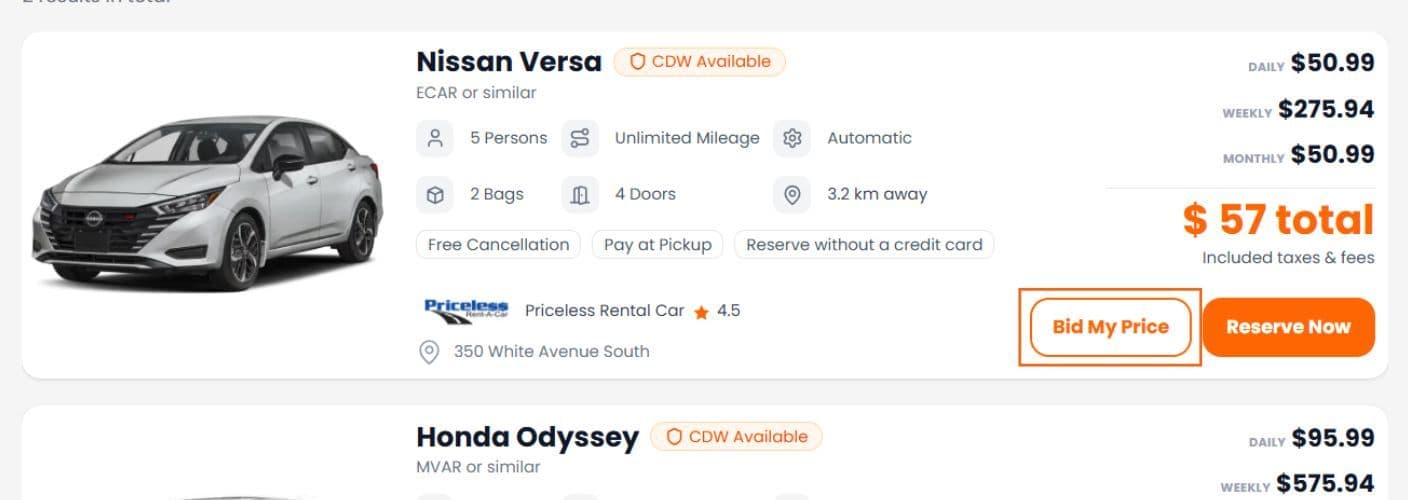
Instead of paying the displayed rental price, Yala Ride allows you to submit your own offer.
Step 4: Enter your bid amount
After selecting "Bid My Price," you'll be prompted to enter the amount you're willing to pay for the rental. Instead of accepting the listed price, you can submit an offer based on your budget.

Once you've entered your preferred price, review your bid carefully and submit it through the Yala Ride platform.
Step 5: Wait for the Operator's Response
Yala Ride's team quickly processes your bid.

There are several possible outcomes:
- Your bid is declined, and you can choose to increase your offer.
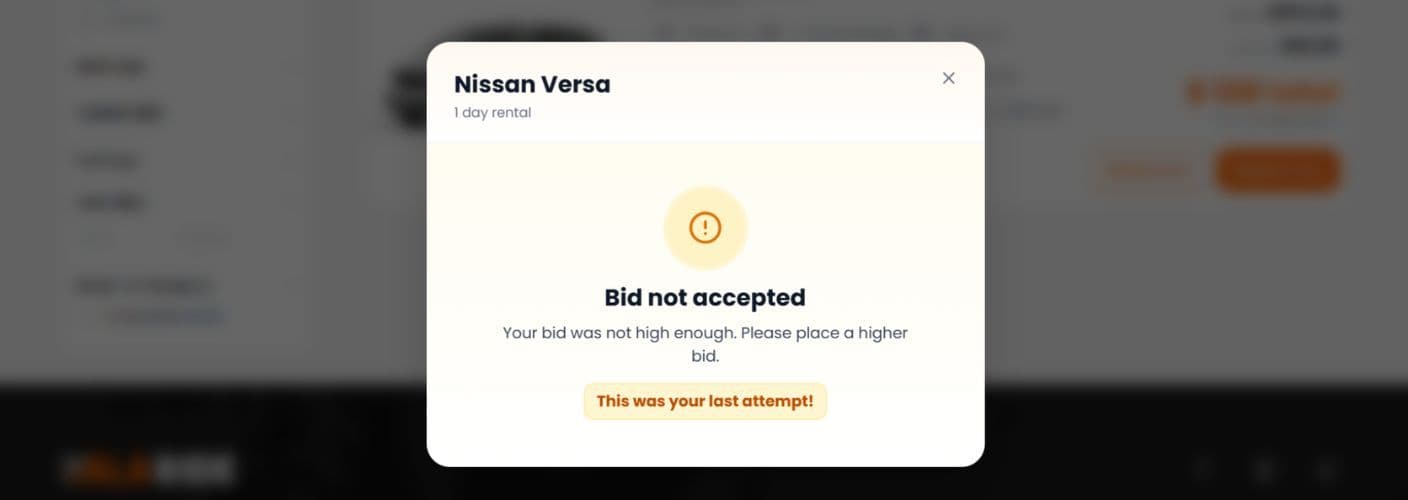
- The operator may suggest a minimum acceptable bid, giving you one final opportunity to secure the rental.
- Your bid is accepted, allowing you to continue with your booking.

Most bid decisions are returned within minutes, with many approvals happening almost instantly.
Step 6: Customize Your Booking with Protection and Add-Ons
Once your bid has been accepted, you can personalize your rental by selecting optional protection coverage and additional services before completing your booking.
Choose Damage Protection (CDW)
For added peace of mind during your trip, Yala Ride gives you the option to include Collision Damage Waiver (CDW) coverage. Depending on the rental operator and vehicle, the protection may cover areas such as:
- Front and rear bumper damage
- Fender damage
- Taillight damage
- Other eligible accidental damage, as outlined in the rental terms
You can review the coverage details and decide whether to Accept or Reject Protection before moving to the next step.
Select Optional Add-Ons
Yala Ride also offers a variety of optional add-ons to make your rental experience more convenient. The available services may vary depending on the rental company, vehicle type, and pickup location.
Some commonly available add-ons include:
- Chauffeur or Driver Service for travelers who prefer a professional driver.
- Baby or Infant Seat for families traveling with young children.
- Fuel Options, such as receiving the vehicle with a full tank and returning it without needing to refuel before drop-off.
- Other optional extras offered by the rental operator for added comfort and convenience.
The availability and pricing of these add-ons depend on the selected vehicle and the rental company.
Step 7: Confirm Your Booking
Once your bid has been accepted:
- Review your booking details.
- Confirm the final rental price.
- Complete the prepaid booking securely through Yala Ride.
- Receive your booking confirmation and voucher by email.
Your booking is then shared with the rental operator for pickup.
Step 8: Pick Up Your Rental Car
On your scheduled pickup date:
- Bring your valid driver's license.
- Carry your booking confirmation.
- Present any additional documents required by the rental operator.
- Complete the vehicle inspection before driving away.
After verification, you're ready to begin your trip.
Why Use Yala Ride's Bid My Price Feature?
Yala Ride's bidding system offers several benefits:
- Save money by proposing your own rental price.
- Compare cars from verified rental operators.
- Receive quick bid approvals.
- Enjoy transparent pricing with no hidden charges.
- Book securely through an easy-to-use online platform.
Whether you're renting a car for a vacation, business trip, or weekend getaway, Yala Ride makes it easier to find a vehicle that fits both your travel needs and your budget.
Final Thoughts
Yala Ride's Bid My Price feature gives customers more control over the car rental process. Instead of accepting fixed prices, you have the opportunity to negotiate a better deal while booking through a trusted marketplace. By following these simple steps, searching for a vehicle, comparing options, placing a bid, and completing your booking, you can enjoy a smoother rental experience and potentially save on your next trip.
Frequently Asked Questions
Clear answers to your most common rental queries.
to give info to the new user we create blog